If you’re just starting out with digital art, you might feel a bit overwhelmed by all the tools and buttons, but trust me, you’ll get the hang of it.
I remember the first time I opened a drawing program, I spent ages just playing with brushes and layers. It’s actually pretty fun once you experiment a little.
There are some tricks that can really speed up your progress, and I wish I’d known them sooner.
Curious what they are?
Key Takeaways
- Familiarize yourself with your digital art software’s tools, brushes, and shortcuts to streamline your workflow and boost creativity.
- Use layers strategically to separate sketching, coloring, and shading, allowing for easy edits and organized artwork.
- Practice regularly and experiment with different styles to steadily improve your skills and develop your unique artistic voice.
- Save your work frequently with clear file names, and use cloud storage or backups to prevent data loss.
- Seek constructive feedback from peers or online communities to gain new perspectives and accelerate your growth as an artist.
Get Comfortable with Your Digital Toolkit
Before you start creating digital art, it really helps to get comfortable with your digital toolkit.
Explore your digital tools: stylus, tablet, pressure settings, and brushes, until they feel like an extension of your hand.
I remember testing every brush in my software just to see what surprised me.
Don’t rush; software exploration can be fun! Try out different menus, experiment with filters, and play with color pickers.

You’ll discover shortcuts and hidden features that speed up your process.
Personally, I love customizing my hotkeys for efficiency. The more you explore, the more innovative and confident your art journey becomes.
Layers Are Your Absolute Best Friend
Once you’ve gotten the hang of your digital tools, it’s time to meet the real MVP of digital art: layers.
Layers let you separate parts of your artwork, like sketch, color, and shading, so you can edit one thing without messing up the rest.
I always keep my line art on its own layer for easy tweaks.
Good layer management means naming your layers and grouping them, which keeps everything organized.
Don’t forget about layer blending, either; it lets you create cool effects by combining layers in different ways.
Honestly, layers make experimenting safer and your creative process way more innovative.
Master Basic Brush Dynamics
Brush control is honestly where digital art starts to feel really fun.
When you experiment with brush pressure, you’ll notice how pressing gently can create soft, thin lines, while firmer strokes give bold, dynamic marks.
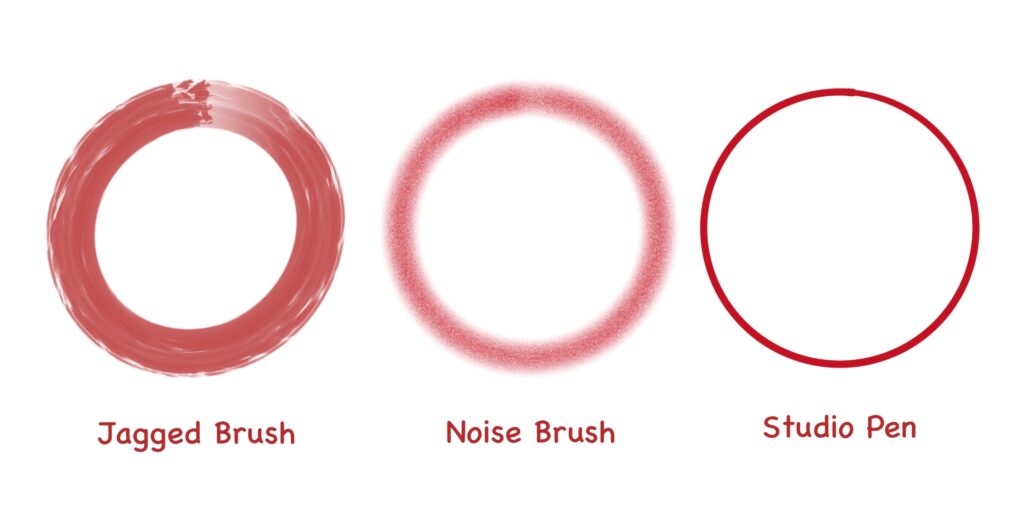
I love playing with opacity control too, light pressure can make colors almost transparent, letting you blend shades like watercolor.
Try adjusting your stylus settings, or test different brushes to see what responds best.
Don’t rush; explore how these little tweaks change your results. You’ll quickly find favorites for sketching or shading. Mastering these basics makes your art feel unique, and, honestly, it’s pretty satisfying!
Learn Essential Keyboard Shortcuts
Ever wonder how some artists seem to work so quickly? The secret often lies in their use of keyboard shortcuts.
Once I started memorizing basic shortcuts like undo (Ctrl+Z), brush size adjustments, and quick saving, I noticed a real productivity boost.
You’ll find the shortcut benefits go beyond just speed; they help you stay focused on creating, not fumbling through menus.
Try mapping custom shortcuts, too.
It’s amazing how small changes can streamline your workflow and make digital art even more enjoyable.
Understand Digital Color Basics
Color theory might sound fancy, but you really don’t need to be an expert to make your art pop.
When I first started digital painting, I stuck with simple color palettes to learn how color harmony works.
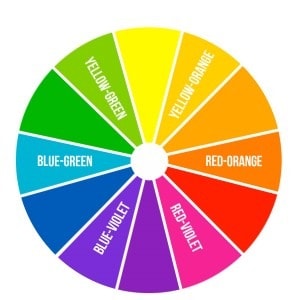
Try picking three main colors: one dominant, one secondary, and an accent. Adjust their brightness or saturation to find a cool balance.
Honestly, I love experimenting with unexpected combos, but I always check if the colors “feel right” together. Use the color wheel as a guide, and don’t be afraid to try bold contrasts.
You’ll discover your own unique style through practice!
Don’t Fear the Undo Button (Ctrl/Cmd+Z)
Even though it might feel like cheating at first, I promise the undo button is your best friend in digital art.
I used to worry that using Ctrl or Cmd+Z meant I wasn’t learning, but honestly, it just made me braver with my ideas.
Try different undo strategies, sometimes I tap undo a few times, other times I step back all the way to a rough sketch.
Don’t let fear of mistakes hold you back.
The undo button helps build creative confidence, letting you explore bold choices without permanent consequences.
It’s there for a reason, so embrace the freedom!
Save Often and Save Smart
While working on digital art, there’s one habit I always remind myself to keep: saving my work regularly.
Trust me, nothing kills creativity faster than losing hours of progress!
Set up smart file organization with clear naming conventions, think “ProjectName_V2_Date.”
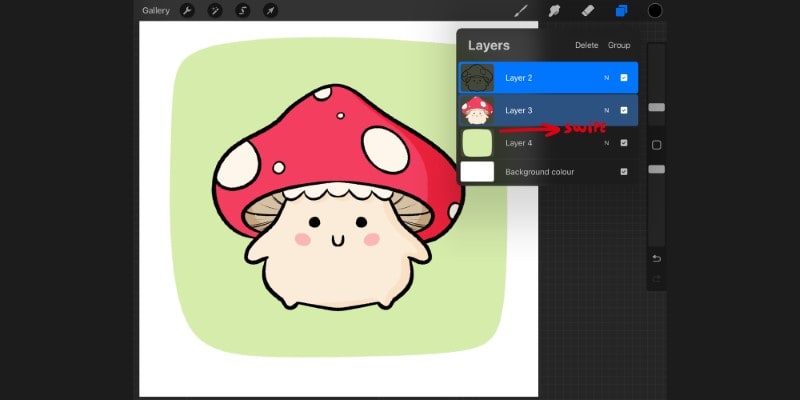
Use version control to track changes, especially when experimenting. I love using cloud storage (dropbox, iCloud, etc) for instant backup strategies; it’s saved my projects more than once.
Try saving in different file formats for flexibility. For project management, I keep digital archives of major milestones. You’ll thank yourself later when you need to revisit old ideas or troubleshoot.
Saving smart keeps your workflow future-ready!
Explore Different Brush Types Beyond the Default
Once I started exploring brushes beyond the basic round one, digital art really opened up for me.
You can tap into so much creativity through custom brush creation and brush texture experimentation.
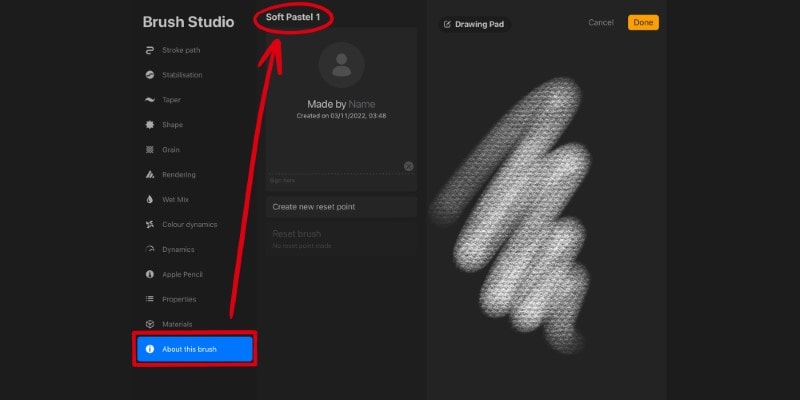
Don’t just stick with the defaults, try alternative brush sources online, and you’ll find unique brush styles that completely change your workflow.
I love experimenting with blending brush techniques and specialty brush applications to achieve more dynamic digital paint effects.
Don’t be afraid to play with brush settings exploration, adjusting things like opacity or flow.
Every new brush can spark fresh ideas, making your art feel more personal and innovative.
Get to Grips with Basic Selection Tools
Although digital painting might seem all about brushes and color, you’ll quickly find that basic selection tools are just as important for shaping your art.
When I started, I underestimated how much selection techniques could speed up my workflow.
By using tools like lasso, marquee, and magic wand, you can isolate, move, or transform parts of your image with amazing selection precision.
Try experimenting, adjust feathering, or use “add” and “subtract” options for more control. Personally, I love combining the lasso with shift or control keys.
Mastering these basics lets you innovate faster and keeps your creative momentum going strong!
Practice Drawing Basic Shapes and Forms
After getting comfortable with selection tools, you’ll notice that building up your art really starts with basic shapes and forms.
Honestly, I always felt a bit impatient in the beginning. I just wanted to draw cool stuff!
But trust me, practicing circles, cubes, and cylinders boosts your shape recognition and creative confidence.
Try drawing fifty circles in a row; challenge yourself with form variation by squashing, stretching, and rotating each one.
Eventually, you’ll see everything as combinations of shapes, making complex objects easier to tackle. I still warm up with quick shape sketches before big projects. It’s simple, but super effective!
Use References Wisely and Ethically
If you want to level up your digital art, using references is honestly a game-changer, but it’s important to use them in the right way.
I always start by exploring a variety of reference sources, making sure to keep ethical considerations and artistic integrity in mind.
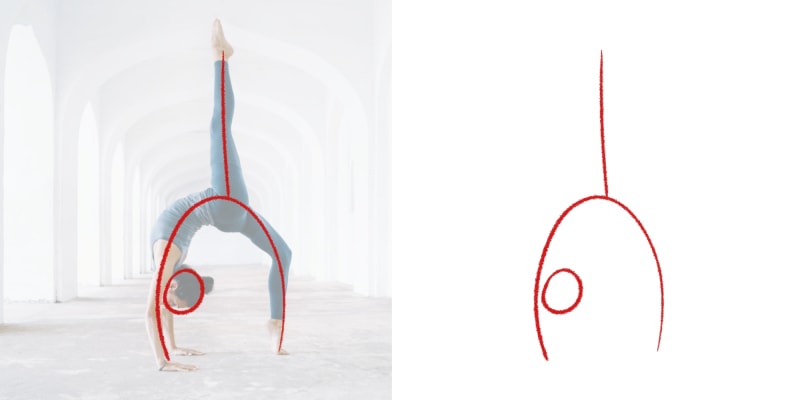
Trust me, it’s tempting to copy, but blending references into your personal style is much more rewarding!
Here’s how you can innovate while staying responsible:
- Seek diverse perspectives for richer visual inspiration.
- Double-check copyright awareness before image sourcing.
- Transform references, don’t trace; make them part of your unique artistic journey!
Experiment, Have Fun, and Be Patient with Yourself!
Even when you’re just starting out, it really pays off to let yourself experiment and have a little fun along the way.
Creative exploration is key, you don’t have to stick to one style or brush. I love trying new color palettes or weird textures, just to see what happens.
Honestly, playful experimentation often leads to the coolest surprises.
Don’t stress about making everything perfect; progress takes time. Sometimes I’ll revisit an old piece after a few weeks and spot new ideas.
Conclusion
Jumping into digital art can feel overwhelming, but trust me, it gets easier the more you play around.
I remember struggling with layers at first, but now I can’t imagine working without them! Just keep practicing, try new tools, and don’t be afraid to make mistakes.
You’ll see real progress over time,even if it’s just a little each week.
Most importantly, have fun and explore your own style. I believe you’ve totally got this!

Patricia Caldeira is the main writer here at Don Corgi. She's an art teacher with over 20.000 happy students across many platforms and courses!
Enjoy your stay and as always:
Keep on drawing!
Patricia’s courses have enrolled 22 000+ students around the world, in platforms such as Udemy, Skillshare, Gumroad and more.